
Cypress录制自动化脚本
- 2021-07-30 10:00:00
- wencheng
- 转贴:
- 微信公众号
- 9275
一、前言
Cypress Studio提供了一种在测试运行程序中生成测试的可视化方法,通过记录与被测应用程序的交互。支持.click()、.type()、.check()、.uncheck()和.select()Cypress命令,这些命令将在与Cypress Studio内部的DOM交互时生成测试代码。
二、使用Cypress Studio
Cypress Studio是一个实验性功能,可以通过向配置文件添加experimentalStudio属性来启用(塞浦路斯.json默认情况下)。
{
 "experimentalStudio": true
}
我们以登录案例,以演示Cypress测试方法、模式和工作流的真实使用。它将用于演示下面Cypress Studio的功能。三、扩展测试
您可以扩展任何先前存在的测试,也可以使用以下测试支架在您的默认情况下integrationFolder
(cypress/integration
在默认情况下)创建一个新测试来开始。
describe('第一个录制脚本从禅道登录开始', function () {
   beforeEach(() => {
       cy.visit('http://localhost:8080/zentao/user-login.html')
  })
   it("登录输入框功能", function () {
  })
})
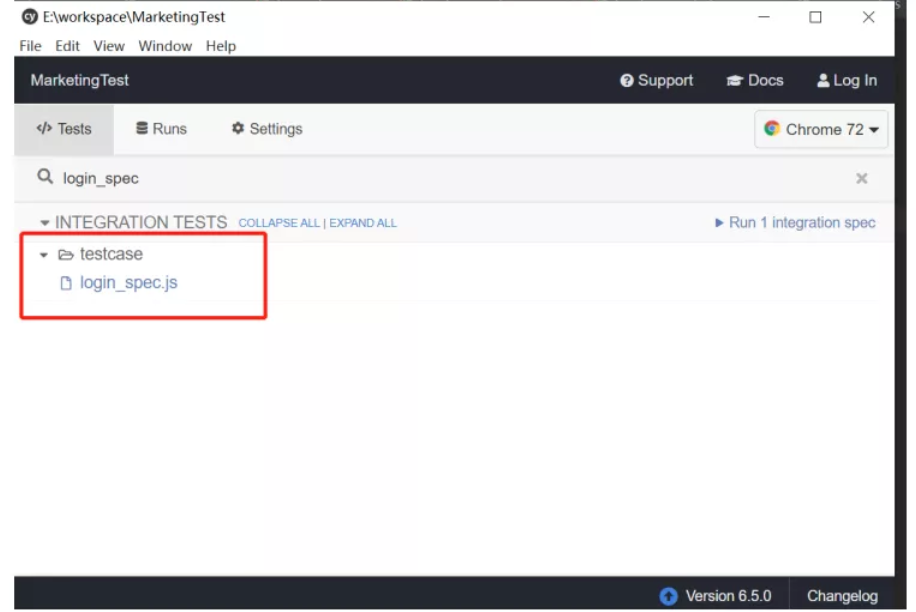
1. 运行规范
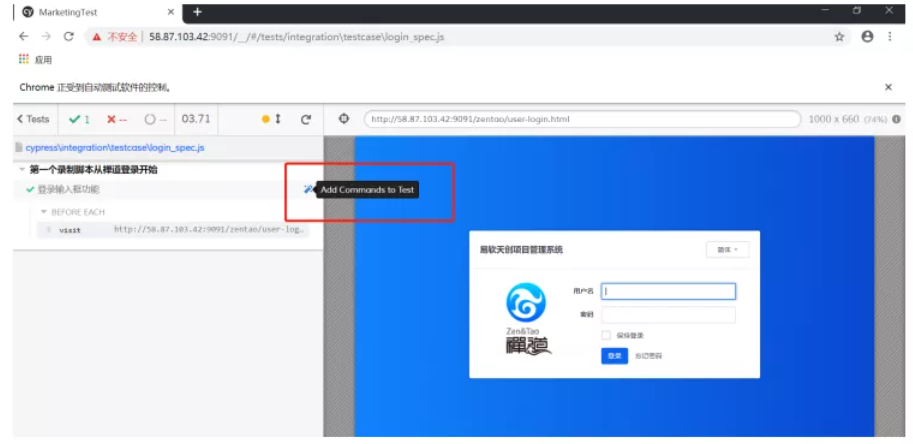
2. 启动Cypress Studio
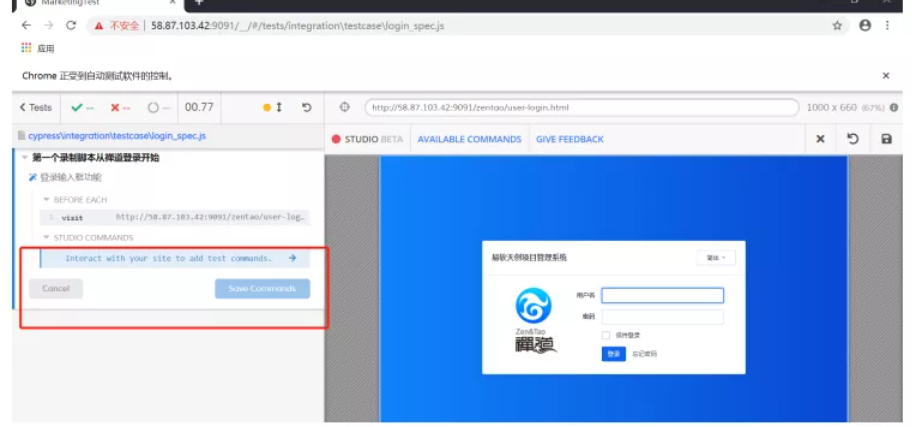
3.应用程式互动
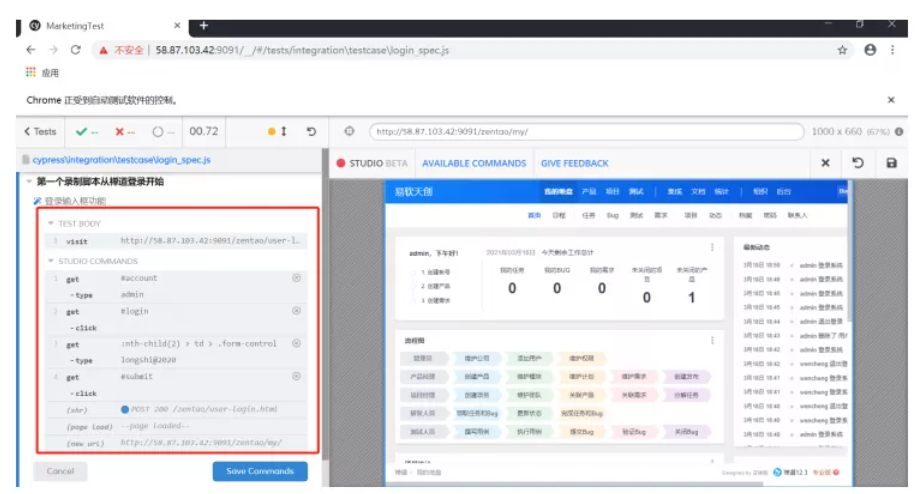
4. 生成的测试代码
describe('第一个录制脚本从禅道登录开始', function () {
   it("登录输入框功能", function () {
       cy.visit('http://localhost:8080/zentao/user-login.html')
       /* ==== Generated with Cypress Studio ==== */
       cy.get('#account').type('admin');
       cy.get('.col-8').click();
       cy.get(':nth-child(2) > td > .form-control').type('longshi@2020');
       cy.get('.form-actions').click();
       cy.get('#submit').click();
       /* ==== End Cypress Studio ==== */
  })
})
5. 添加新测试
describe
或块中。context``describe
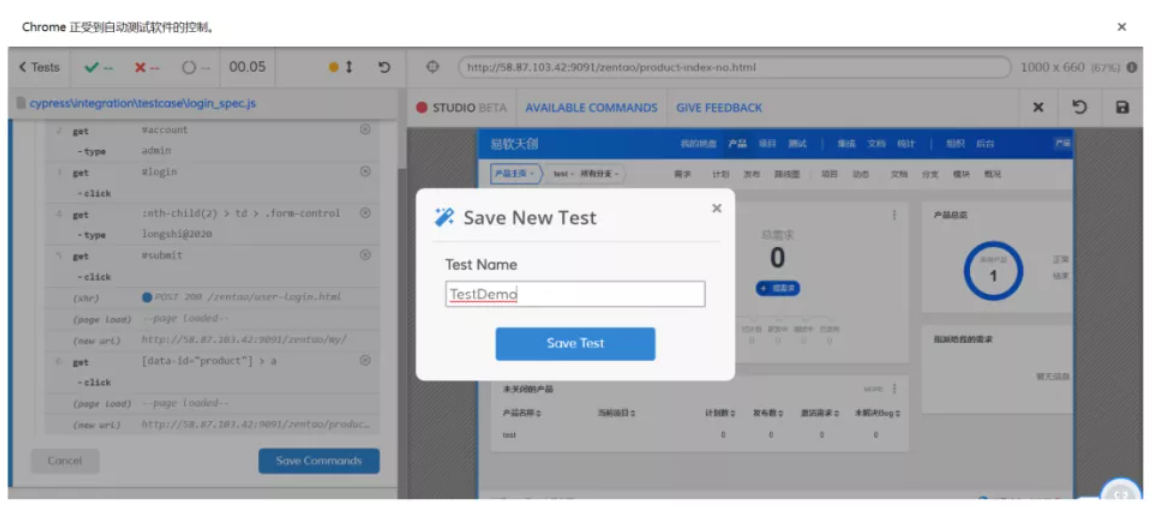
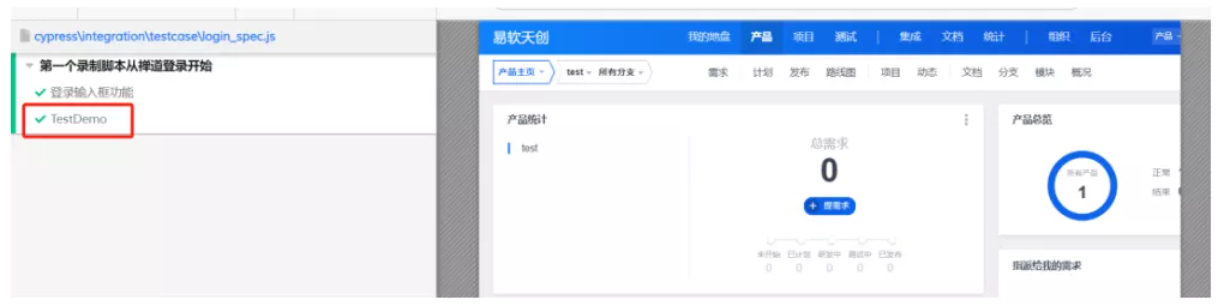
describe('第一个录制脚本从禅道登录开始', function () {
   it("登录输入框功能", function () {
       cy.visit('http://localhost:8080/zentao/user-login.html')
       /* ==== Generated with Cypress Studio ==== */
       cy.get('#account').type('admin');
       cy.get('.col-8').click();
       cy.get(':nth-child(2) > td > .form-control').type('longshi@2020');
       cy.get('.form-actions').click();
       cy.get('#submit').click();
       /* ==== End Cypress Studio ==== */
  })
   /* === Test Created with Cypress Studio === */
   it('TestDemo', function() {
       /* ==== Generated with Cypress Studio ==== */
       cy.visit('http://localhost:8080/zentao/user-login.html');
       cy.get('#account').type('admin');
       cy.get('#login').click();
       cy.get(':nth-child(2) > td > .form-control').type('longshi@2020');
       cy.get('#submit').click();
       cy.get('[data-id="product"] > a').click();
       /* ==== End Cypress Studio ==== */
  });
})
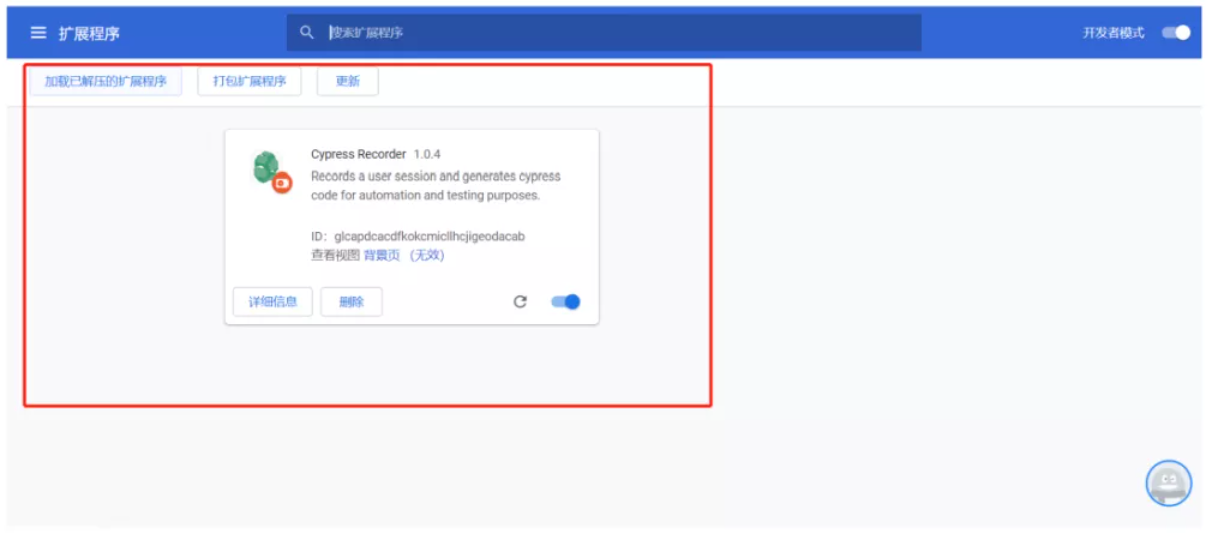
四、插件Cypress Recorder
通过Cypress Recorder也可以实现录制脚本
1. Cypress Recorder安装
2.启动Cypress Recorder
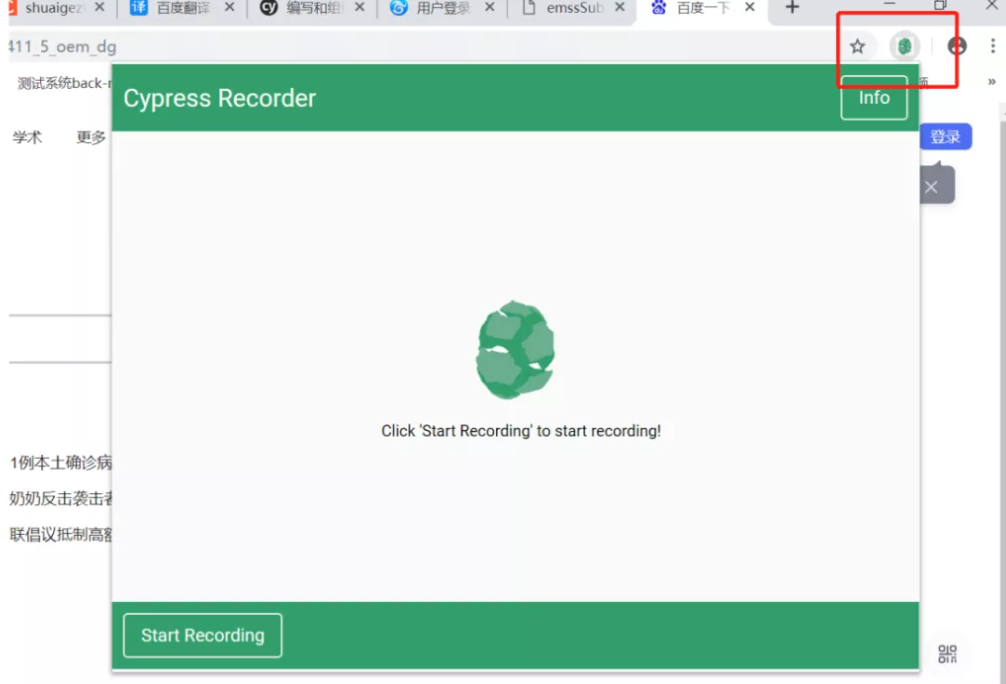
3.点击 Start Recording
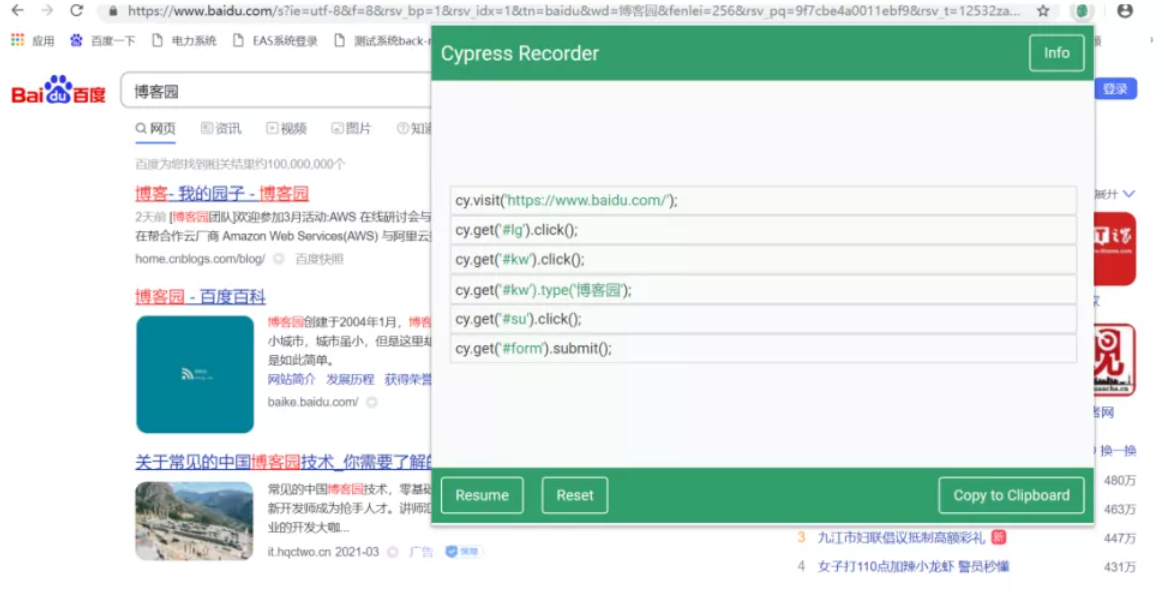
cy.visit('https://www.baidu.com/');
cy.get('#lg').click();
cy.get('#kw').click();
cy.get('#kw').type('博客园');
cy.get('#su').click();
cy.get('#form').submit();
以上就是这篇文章的全部内容了,希望本文的内容对大家的学习或者工作具有一定的参考学习价值,如果有疑问大家可以留言交流,谢谢大家的支持。


- 联系人:阿道
- 联系方式: 17762006160
- 地址:青岛市黄岛区长江西路118号青铁广场18楼